
Without further ado, I’m going to Taobao to sell black button stickers and gold Apple logos.
I used to fry eggs, but now I just use an electric baking pan.
Black and white, it costs 5,000 yuan for a thin and light notebook with independent graphics, what else do you want?
When Xiaomi released a laptop, readers’ ability to complain and argue was once again detonated.
Indeed, this is a very topical notebook. There is no logo design on the front, an all-metal body, thin and light with independent graphics, and an expandable hard drive slot. The originally tepid notebook market seems to have regained the attention of consumers after Xiaomi entered the market.
Today, let’s talk about the experience of this 13.3-inch Xiaomi Notebook Air.
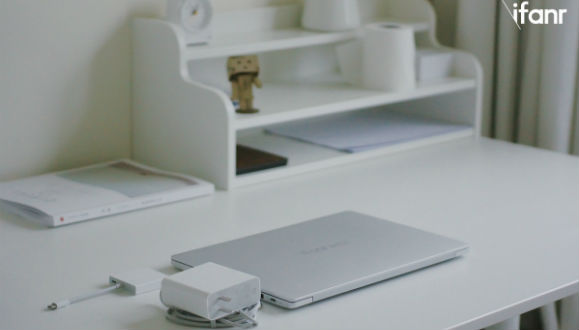
Appearance: The logo-less side A is the biggest highlight, but the huge charger is a bit embarrassing
This is how I felt when I saw the leaked appearance of Xiaomi Notebook Air before seeing the real machine:

Oh my god, isn’t this what the MacBook Pro and Surface Book look like?
In fact, after getting the real machine, I found that although you can indeed find shadows of these competing products on the Xiaomi notebook, it is indeed a completely different design.
Body design: Actually, it really doesn’t look like a MacBook
The overall square body is slightly narrowed at both ends. Although the Xiaomi Mi Notebook Air is not "thinner than a penny", it can be considered relatively thin and light as a notebook with independent graphics.
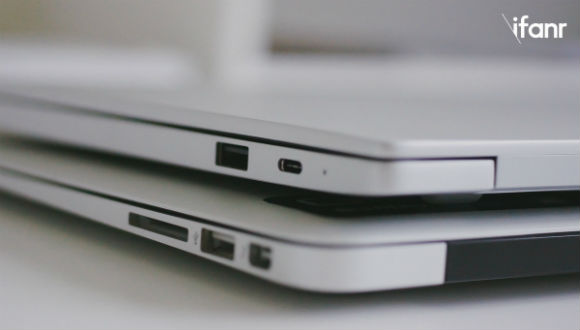
(Looking at it from the same angle, the Xiaomi notebook is actually thinner than the MacBook)
Although the overall thickness of the Xiaomi notebook is more than 2 mm thinner than the MacBook Air from the data point of view, because the Xiaomi notebook adopts a square design instead of a wedge shape and has a thicker glass screen, the Xiaomi notebook looks thicker than the MacBook Air.
The shell is made of sandblasted aluminum alloy, which feels comfortable and can prevent fingerprints. The A side adopts a logo-free design. The square A side is completely blank for consumers. Although it looks a bit dull and monotonous, it leaves a lot of room for user customization.
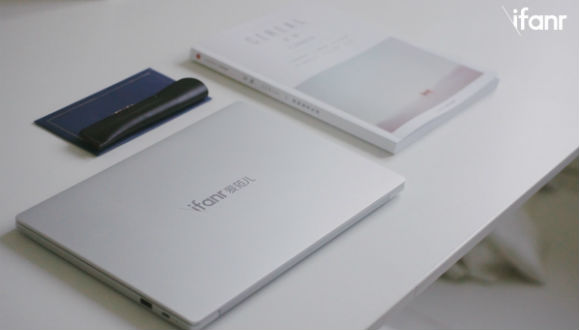
The review machine that Aifaner got was printed with the Aifaner logo in advance. Xiaomi may also launch a laser engraving service in the future., convenient for users to customize. In addition, Xiaomi has launched a series of stickers of famous paintings by artists. Soon, many e-commerce platforms will have many third-party sticker merchants to facilitate consumers to customize the A-side of their computers.
Side A of the computer, which was originally the least personalized, has become a dazzling design with the most customizable appearance.
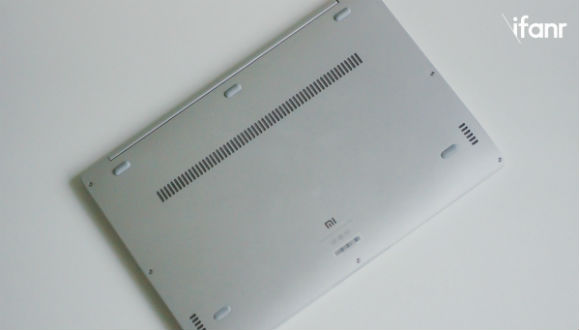
Compared to the completely blank A side, the back of the fuselage looks a bit miserable. The screws, feet, heat dissipation openings, and speakers are all concentrated on the back of the fuselage. Fortunately, you don’t need to see this side for daily use. Let’s cut the nonsense and quickly open the screen to take a look.
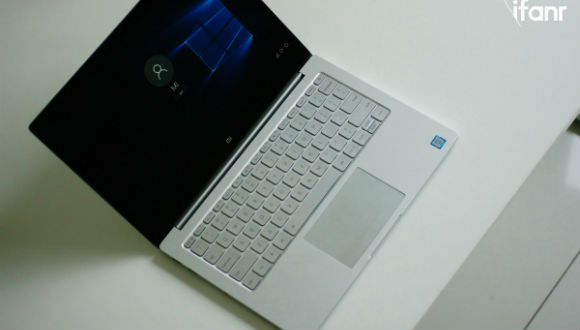
Screen and keyboard: Although the screen cannot be touched, it uses a glass panel and the keyboard feels average
The moderately damped hinge allows the Xiaomi Mi Notebook Air to open the screen with one hand. Although it does not have a touch screen, it still uses a mirror screen covered with glass. Regardless of the so-called 7H hardness advertised (after all, laptop screens are not completely exposed and prone to wear and tear like mobile phones), in terms of daily use, the process of cleaning the screen is more practical, and there is no need to worry about damaging the screen when wiping. The screen has a screen-to-body ratio of 80.1 and a 1080p resolution, giving it a delicate look and feel.

The keyboard on the C side is also painted in the same silver color as the fuselage. There is a risk of the color wearing off after long-term use. There is a backlight but the brightness cannot be adjusted. The key travel is moderate, the press is soft, and the feedback elasticity is not very strong, but it will not slow down the user's typing speed.

The glass touchpad feels good, the sliding feeling is very smooth, and the feedback from the buttons below is obvious. For a long time, the touchpad of Windows notebooks has been in a state of "unusable". However, after Win 10, the touchpad experience has been greatly optimized. In the past few days of using Xiaomi notebooks, I completely use the touchpad for daily use, combined with some gesture operations, and even improved some operating efficiency.
Interface and charger: HDMI design is considerate, but unfortunately there is no SD card slot
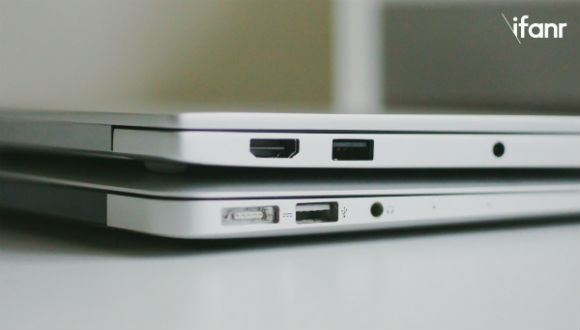
Two USB 3.0 connectorsport, an HDMI port, a 3.5mm headphone jack, and a USB Type-C for charging. The interface configuration of Xiaomi Notebook Air is basically the same as that of most thin and light notebooks currently on the market.
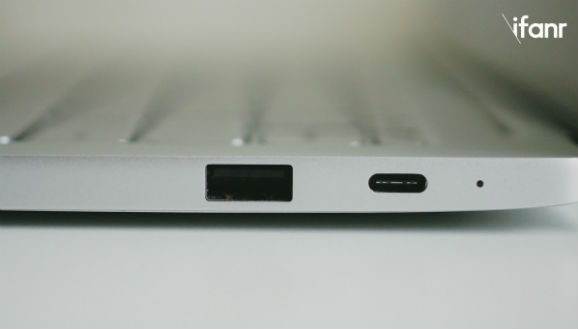
The HDMI interface is very convenient for projecting the contents of the screen to the outside, but unfortunately there is no SD card slot that comes standard on MacBook Air and Pro, which may not be convenient for media workers like us who often import photos.
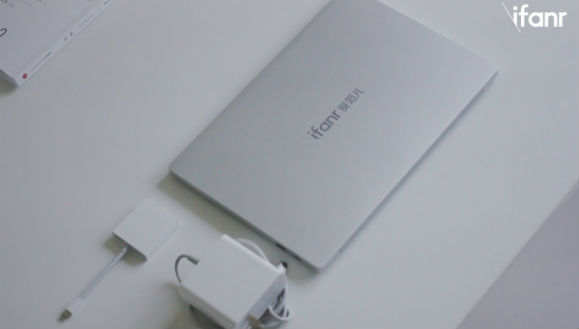
Xiaomi also released a USB Type-C adapter priced at 149 yuan, which includes a USB 3.0, an HDMI and a USB Type-C to facilitate expansion. Xiaomi officials also stated that this adapter can be used on Apple’s new MacBook.
The appearance of Xiaomi Notebook Air is quite satisfactory, but the design of the accompanying charger is not satisfactory. It’s very large, about 50% larger than the MacBook charger. The plug doesn’t support folding, and the plug is in an awkward position that blocks the socket on the other side of the double-row socket.
Xiaomi officially stated that this fast-charging charger can charge the machine to 50% in half an hour. Aifaner has actually measured that the machine can be fully charged from less than 10% in about one and a half hours.
Battery life and heat dissipation: Can’t reach 8 hours of video playback life, but it’s still acceptable
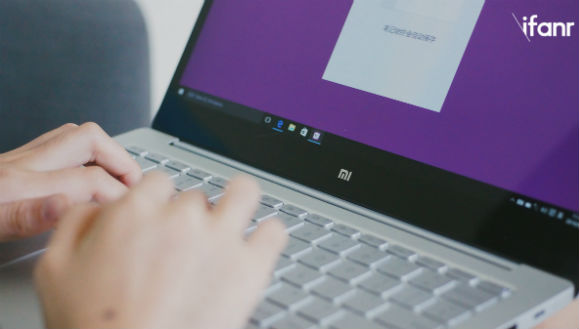
When unboxing the test machine during the live broadcast in the evening after receiving it, many readers were most concerned about the battery life and heat dissipation of this machine in addition to its appearance.
Xiaomi officially stated that the Mi Notebook Air can support 8 hours of video playback. Aifaner conducted actual tests on this. When playing online videos at 100% screen brightness and 50 volume, the remaining battery capacity after 5 hours of playback was less than 10%. If it is normal web browsing or simple office work, the battery life will be longer.

Although the battery life does not live up to the hype, the battery life of at least 5 hours is still basically satisfactory. After all, judging from the positioning of thin and light notebooks, many usage scenarios will require disconnection from the power supply. Compared with high configuration, many users who buy thin and light notebooks must want long battery life most.
Is it hot? Is it hot to play games? Is it hot to type? Is it hot to browse the web?
Xiaomi notebook uses a single-pass pipe and dual fans for heat dissipation. Many readers will worry that the single-pass tube will affect heat dissipation. In the actual test, when multiple 1080p videos were played simultaneously and the web page was browsed, the CPU usage reachedAt this time, the CPU temperature is about 65 degrees, and the graphics card temperature is around 55 degrees.

You say there is no intuitive feeling for temperature? To put it simply, when the computer is close to full load, you can hear the obvious sound of the fan and the keyboard will be relatively hot, but fortunately, the palm rest will continue to be cool. The bottom of the fuselage is about the same temperature as the keyboard, so you won't burn yourself, but you will feel warm.
Performance experience: Let’s not talk too much about running scores, let’s take a look at what this notebook is suitable for
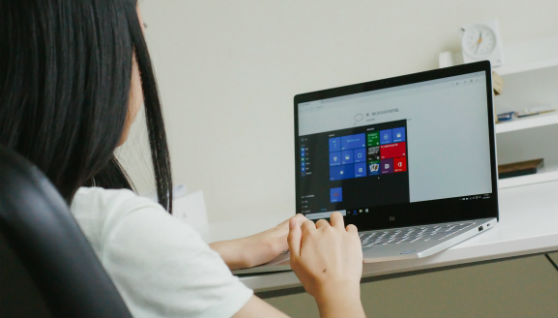
Before talking about the performance experience, let’s take a look at the configuration list of this 13.3-inch Xiaomi Notebook Air.
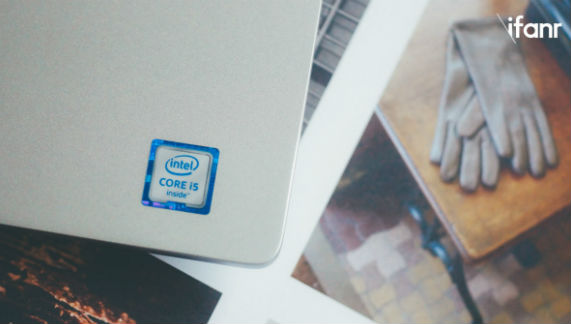
Processor: Intel Core i5-6200 U
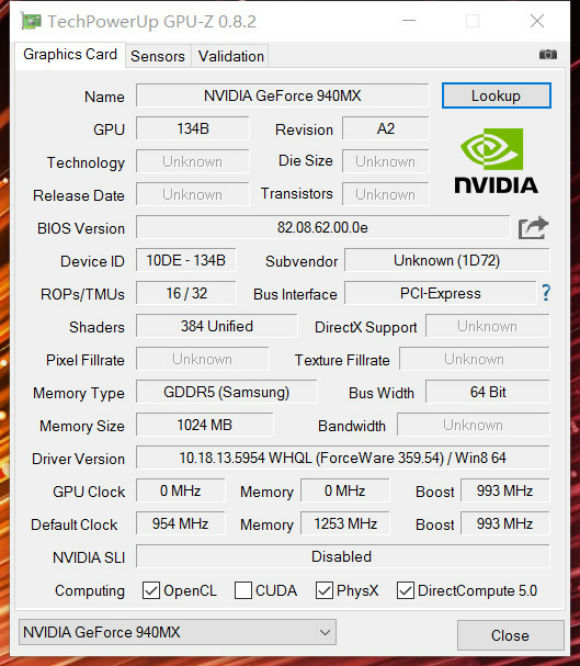
Graphics card: NVDIA GeForce 940MX independent graphics card, video memory 1G GDDR5
Memory: 8G DDR4
Hard drive: 256G PCIe×4 NVMe Samsung SSD, reserved SSD card slot, supports hard drive expansion
Audio: Realtek ALC255 sound card, AKG speakers
The processor is a low-voltage version of the Intel Skylake architecture with a main frequency of 2.3 GHz. It is commonly used in thin and light notebooks, so I won’t go into details here. Let’s focus on this independent graphics card and the 256G SSD solid state drive.
GT 940 MX is an upgraded version of GT 940 M. It supports DX12 and DDR5 video memory. Although its performance is not as good as GTX 950, it is basically sufficient for games with low configuration requirements. Ifanr (WeChat ID: ifanr) conducted a test using two popular games on the market: League of Legends and Overwatch.
League of Legends does not have high requirements for configuration. Xiaomi Notebook Air can guarantee smooth operation at about 80 frames under extremely high quality settings, making the game completely smooth. Although the fan will work at full capacity after the game is turned on and it will be slightly noisy, it will not affect the gaming experience.
When dealing with Overwatch, the Xiaomi Mi Notebook Air struggled a little at first. When the default image quality was turned on, it was able to run smoothly at 30 frames at the beginning of the game. However, after two or three minutes of gaming, the machine became obviously hot and the performance dropped. The frame rate jitter was very unstable.
It is no longer easy to stuff i5-6200 U and independent graphics card into a thin and light body, trying to push the image quality requirements with such a thin and light notebookHigh-end large-scale games are also unrealistic.
The average read and write speed of the 256 G PCIe×4 NVMe Samsung SSD is very fast, with an average write speed of 264.52 M/S and an average read speed of 1338.41M/S.
The hard drive capacity of 256 G is not very large. Fortunately, the solid-state drive improves the reading speed, and the biggest highlight of the Xiaomi Notebook Air configuration is the reserved mSATA interface hard drive slot, which supports hard drive expansion.
Written at the end: This is Xiaomi’s attempt to make a real “MUJI”
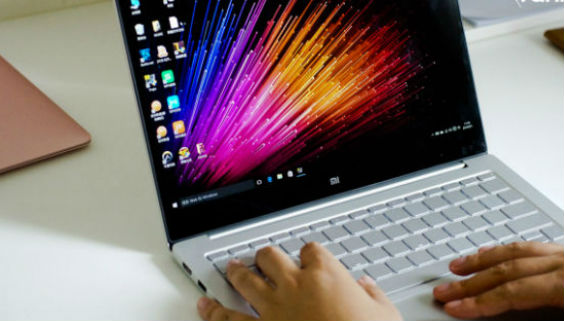
Lei Jun said some time ago that Xiaomi wants to be Muji in the technology circle. This time, the Xiaomi Notebook Air has really erased the Xiaomi logo in the most conspicuous place and achieved "no printing". In terms of workmanship and performance, it has also reached the level of a good product priced at 4,999 yuan.
After getting the review machine, I showed this notebook to many colleagues and friends. Many friends said that although the performance of the independent graphics card is not high, the expansion hard disk slot, logo-less A-side and relatively reasonable interface design mean that among laptops priced at 5,000 yuan, Xiaomi has not made the configuration as extreme as this time, but it has still found a better balance between relatively mediocre performance and design.

However, perhaps the compromise between performance and design may be embarrassing for many consumers. There are already many gaming laptops on the market priced around 5,000 yuan, and there are also many thin and light 2-in-1s priced at 3,000 to 4,000 yuan.
After thinking about the user profile of Xiaomi notebooks for a long time, I came to this conclusion: If I were in college now and had a small budget, I would like to buy a notebook with acceptable performance and design. The 13.3-inch Xiaomi notebook would be a good choice. However, there are far more types of notebooks on the market priced at 5,000 yuan than there are models of mobile phones priced at 2,000 yuan. Xiaomi, which has entered the notebook market from mobile phones, will still face fierce competition.
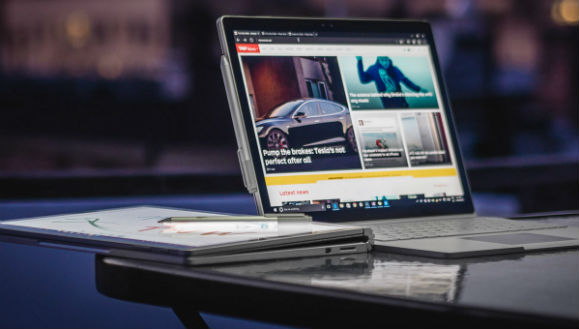
In the process of communicating with the Xiaomi notebook team, they expressed that they are very much looking forward to user feedback on this first-generation product. Of course, judging from the current user voices, higher configurations, touch screens, thinner bodies, fingerprint recognition, and even two-in-one computers are all expected.
Are you satisfied with this Xiaomi Notebook Air? If you choose a laptop, which one will you choose?